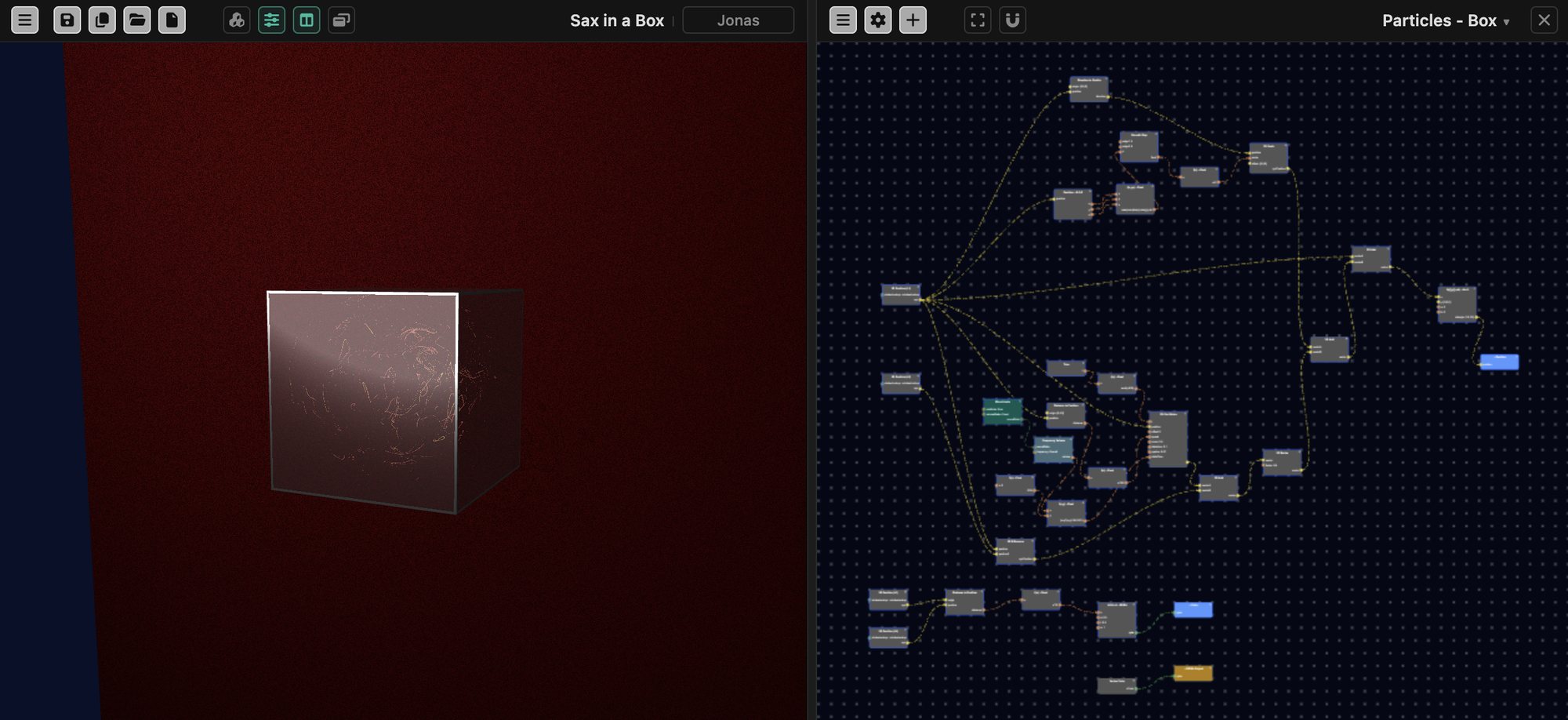
Design materials and effects, and see them change as you build
Every object has its own graph of over 300 typed nodes: color, noise, lighting, mapping, deformation, fractals, particles. VerkLabs compiles the graph into GLSL that runs on your GPU, so every change shows up at once beside the 3D result. Group nodes into your own reusable ones, or write a node in code when you want to.
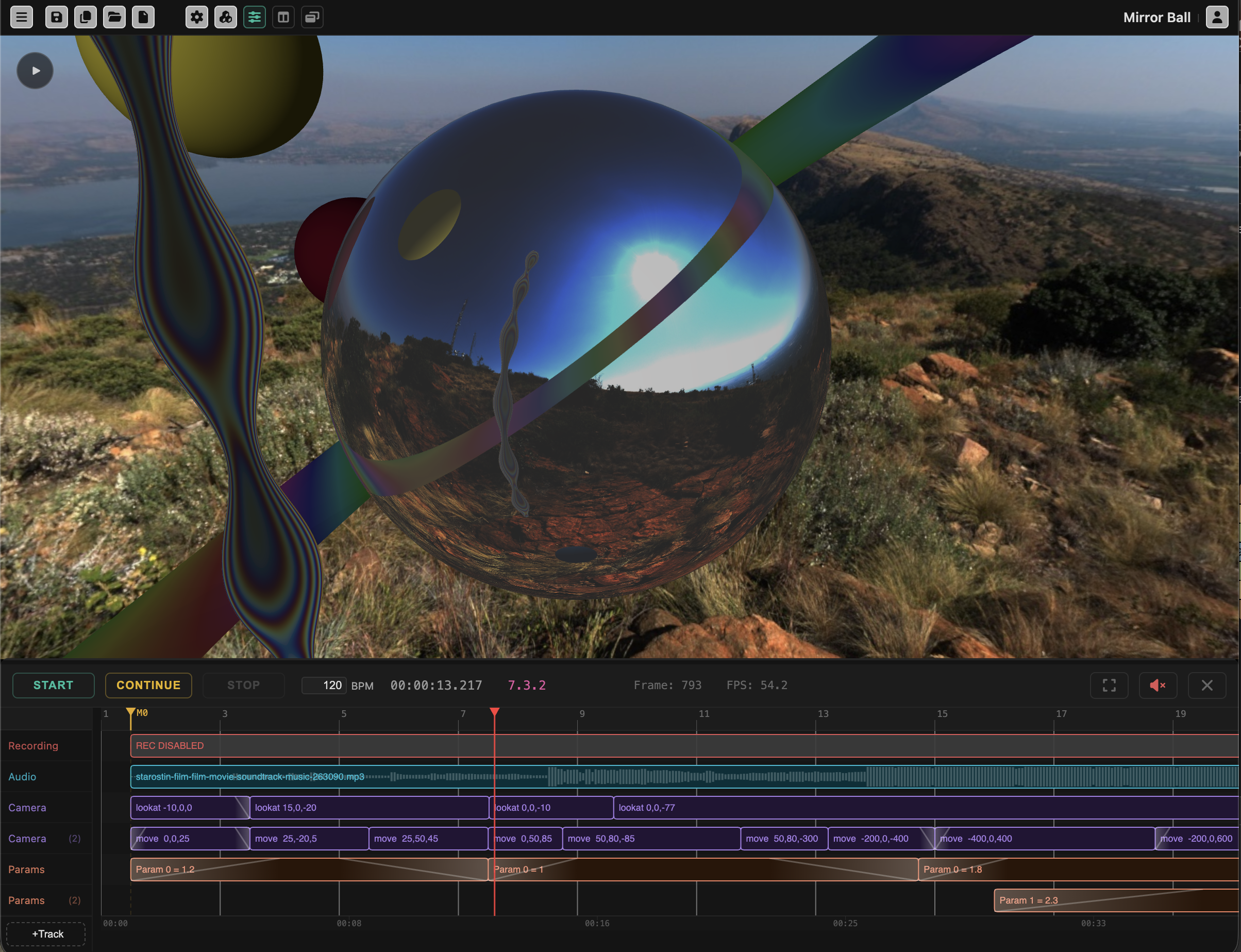
Put it all on a timeline: camera moves, sound and automation
The Runsheet is a real timeline: camera moves, audio tracks, parameter automation and text overlays, all synced to markers and BPM. Build a piece with a beginning, a middle and an end.
Open Mirror Ball →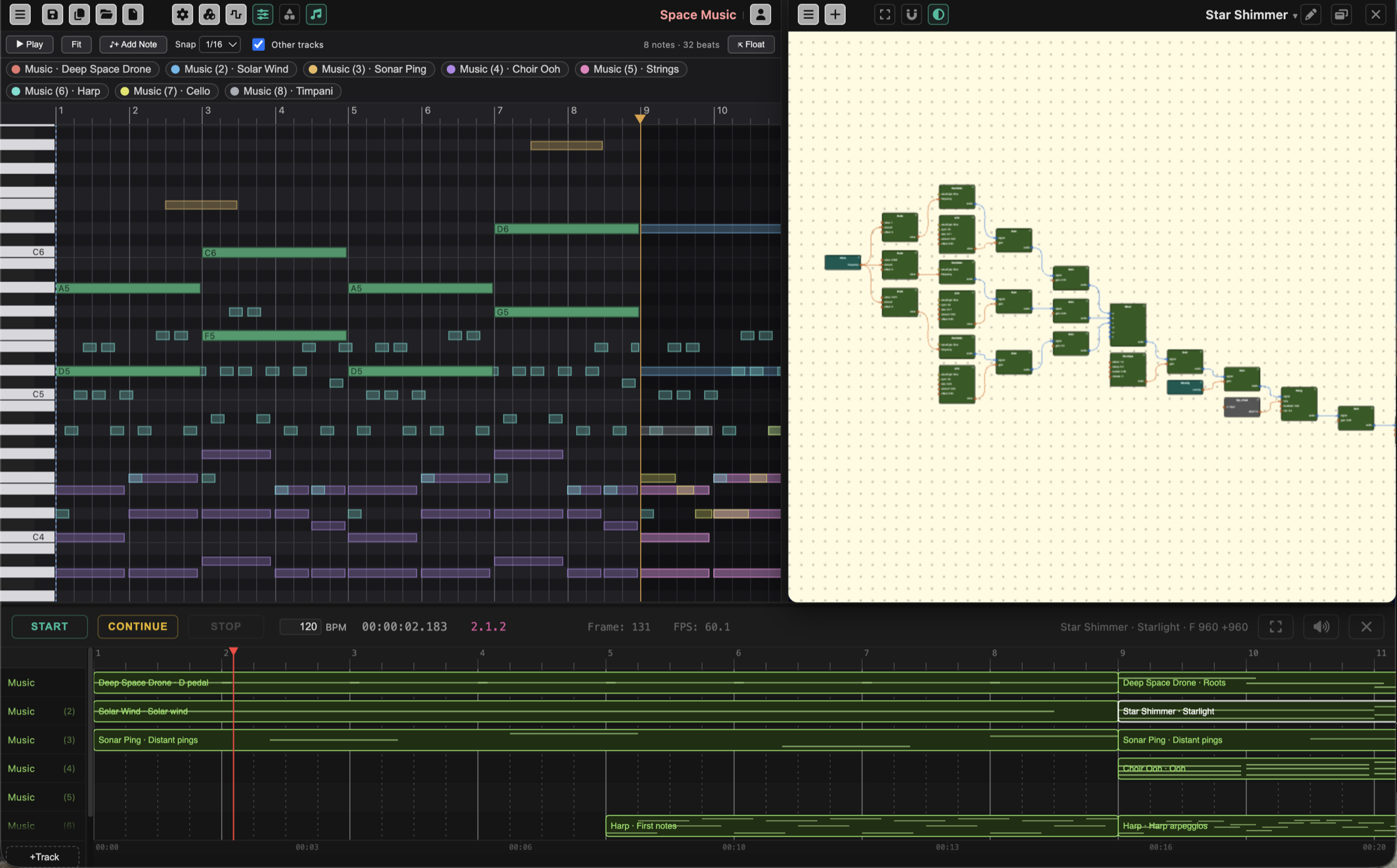
Write the music alongside the visuals
Build instruments from oscillators, filters and envelopes with the same nodes you use for shaders. Draw notes in a piano roll, import a MIDI file, play it from a MIDI keyboard, or describe a part and let the AI write the notes. The Runsheet plays it all in time with your visuals, and the sound can drive them right back.
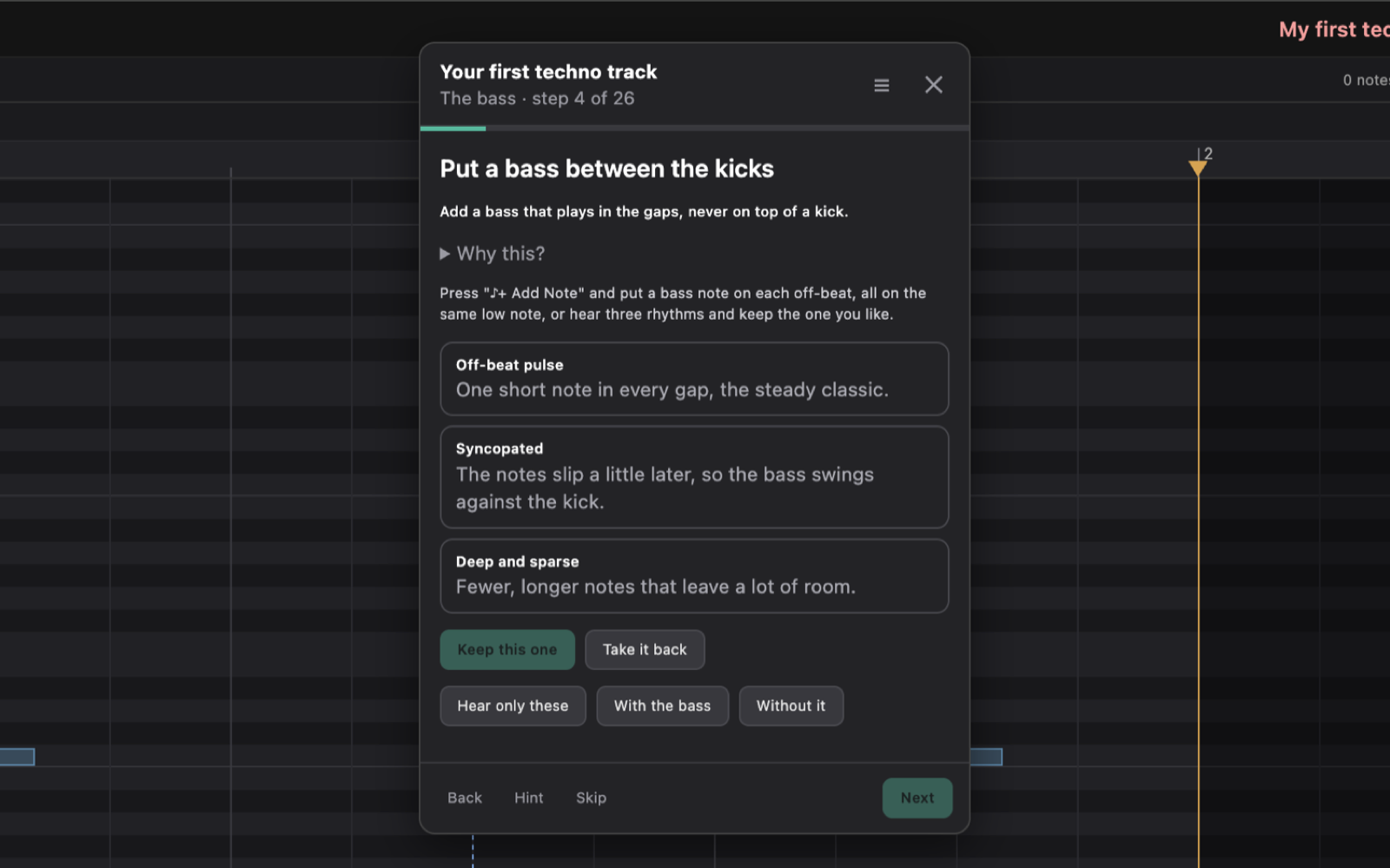
Learn by building, with a coach beside you
Seventy-five guided lessons run inside the editor, from a first kick drum and a first shader to music theory, sound design, playing live and a finished audiovisual piece. The coach sets up each step, checks what you build, and helps when you are stuck. What you make is a real project, and it stays yours.
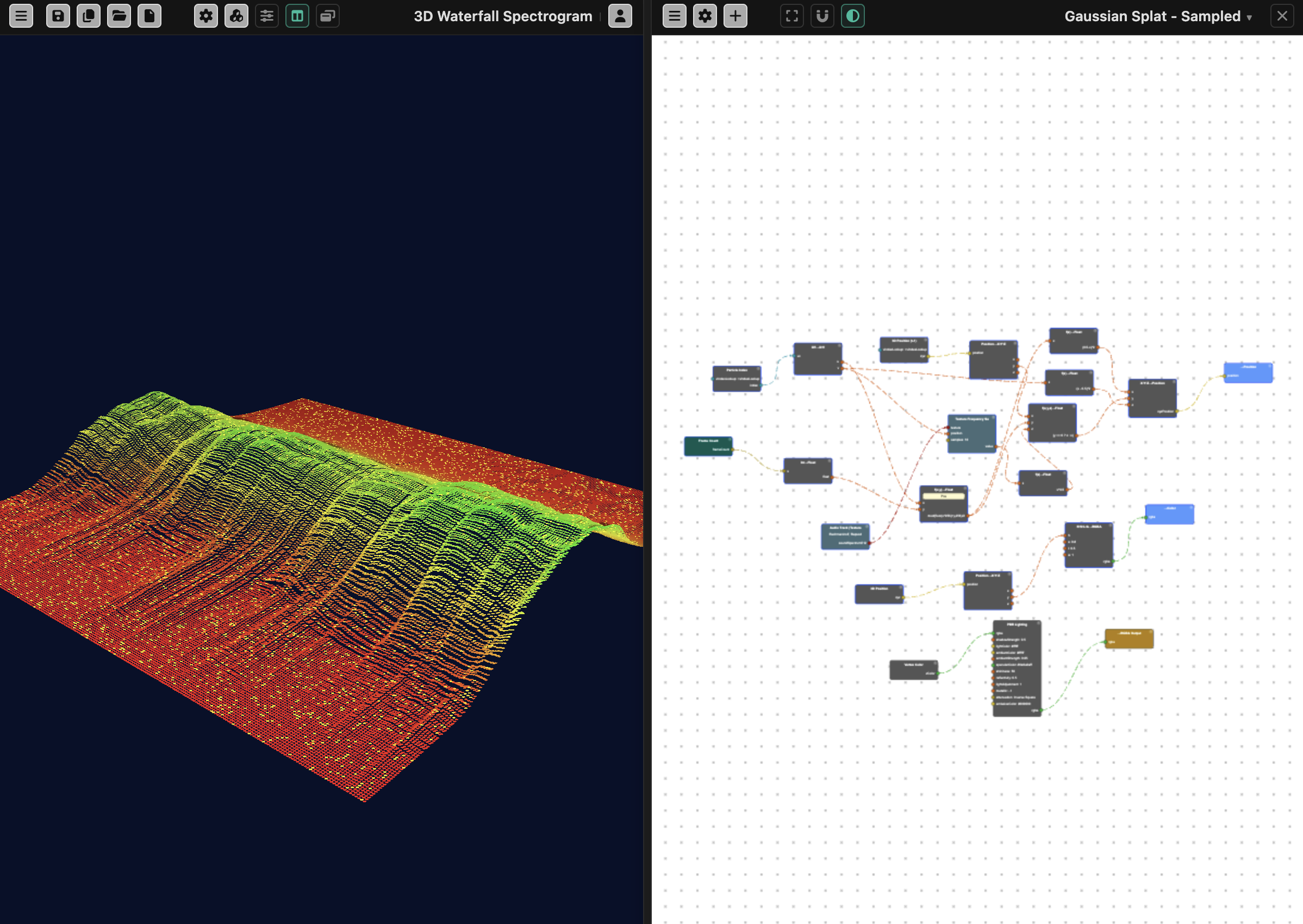
Sense the whole spectrum of your music
Full-resolution spectrum and waveform textures, live microphone input, and ISO-standard octave-band frequency splitting feed straight into the node graph. This is real frequency analysis, the same kind audio engineers use.
Open 3D Waterfall Spectrogram →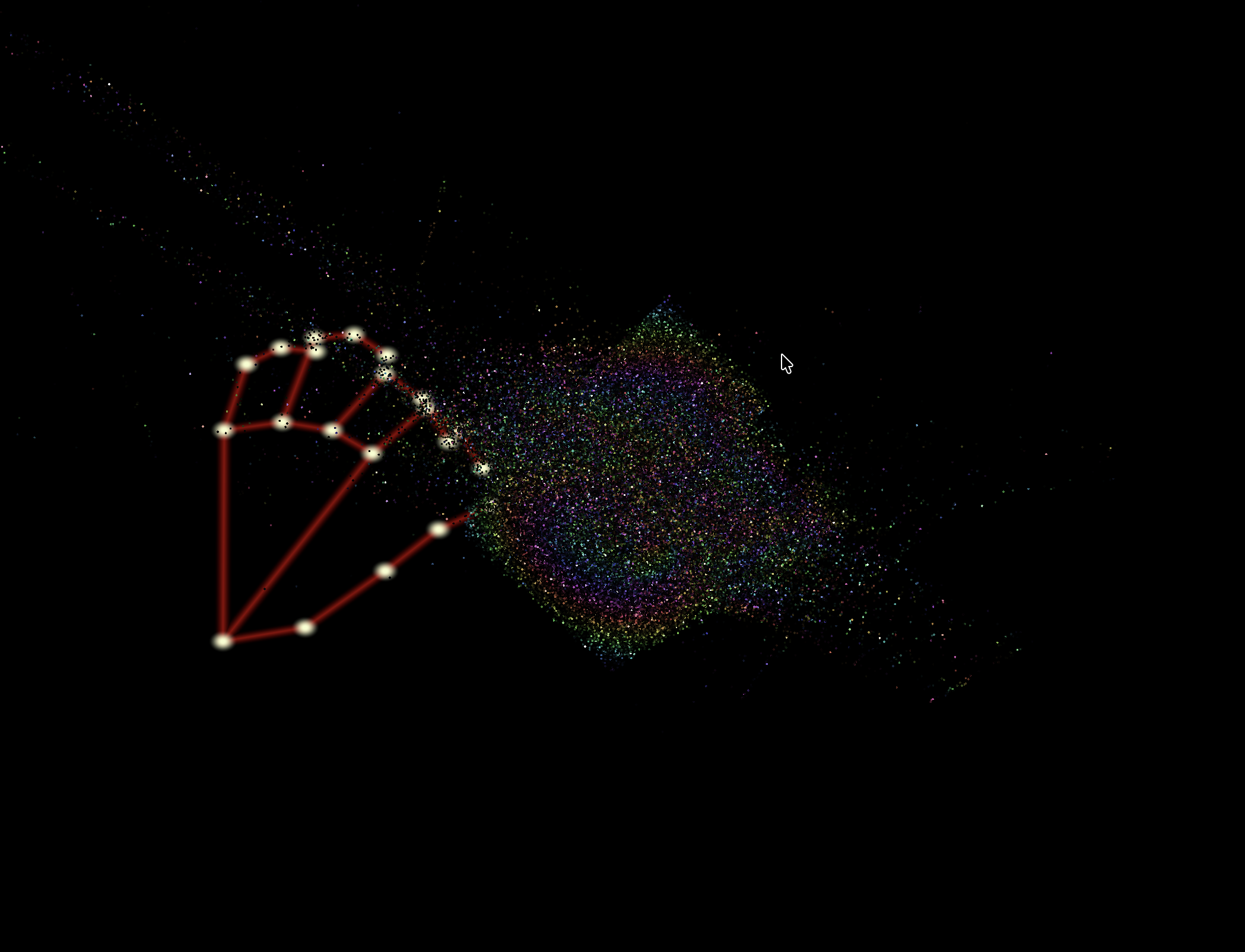
Camera, microphone and hand gestures, wired straight into the graph
Track a hand through your webcam and turn its position into a typed node output, the same as any other value in the graph. Build installations and VJ tools that respond to the room, not just the mouse.
Open Hand Gesture →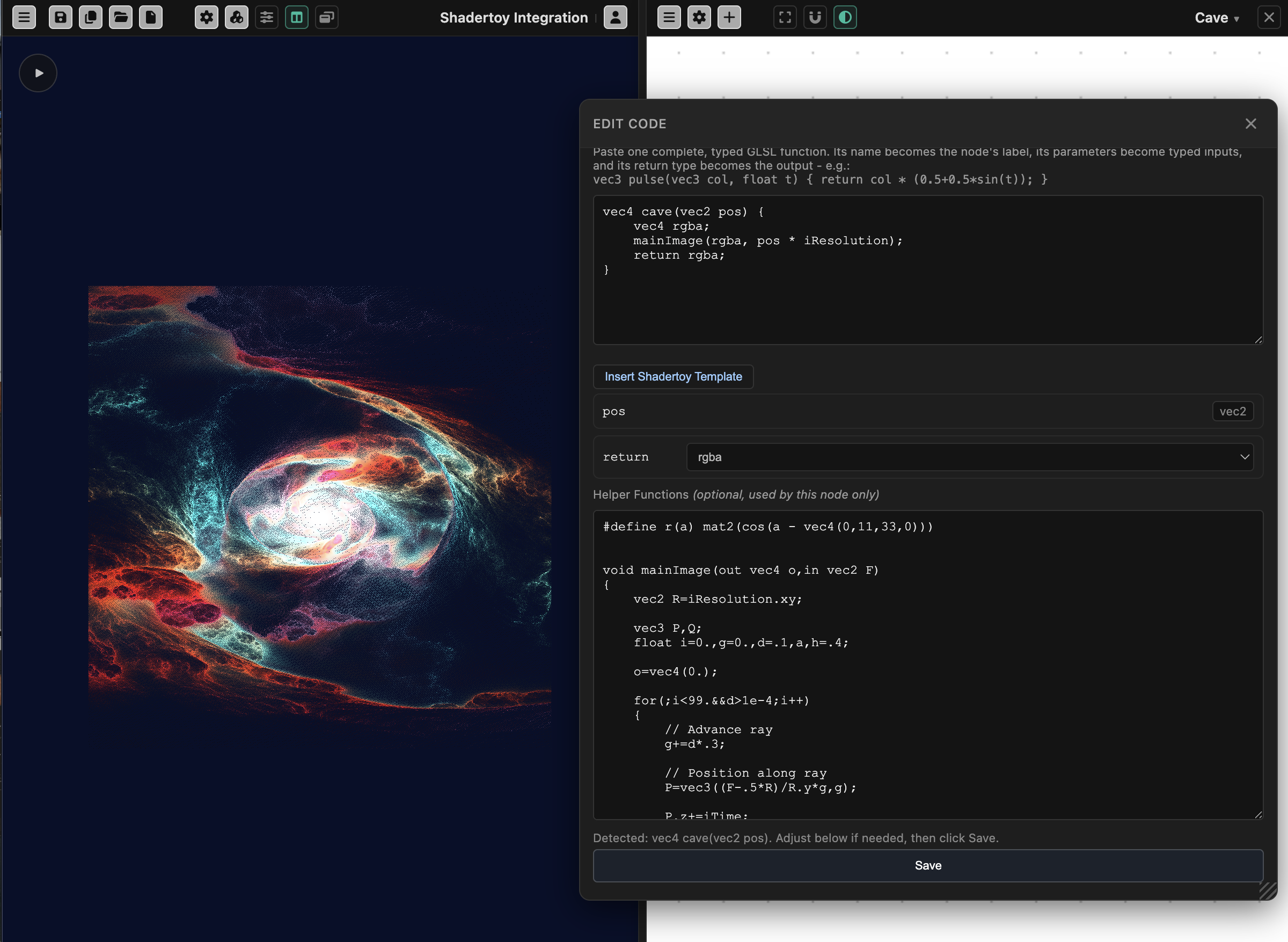
Paste in a Shadertoy shader. Watch it become a node.
iTime, iResolution, iMouse and iChannel audio are already wired up, so most Shadertoy code runs unmodified the moment you paste it in. From there, extend it with particles, extra objects, camera motion and audio reactivity - everything a single fragment shader can't do alone.
Open Shadertoy Integration →